 News | Forum | People | FAQ | Links | Search | Register |
Log in News | Forum | People | FAQ | Links | Search | Register |
Log in |
|


|
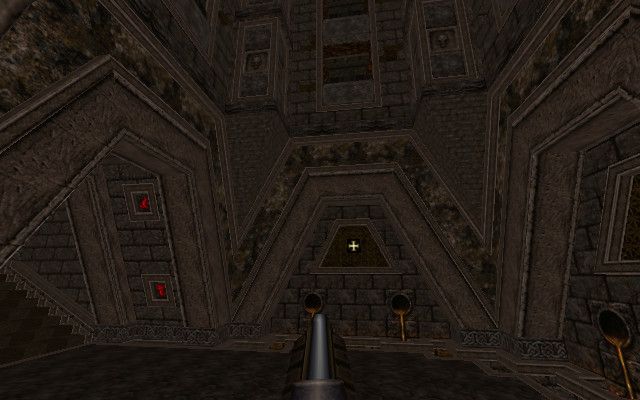
So I'm not gonna bother posting another screenshot. I'm being a slow mapper this past week.
http://i.imgur.com/S5KHriX.jpg
Well, my caves geo suddenly started not working, so I had to scrap that. Now everything is flat and boring... BUT I figured out lights and sky, so that's cool. I had to shrink everything down to a two rooms. This is going to be a very short map, but it will have all of the basic components in and that was my goal. Scale has been a big stumbling block and wasted a lot of time. Now I know Quake dude is only like 64 units tall I can try to plan for that. Still a couple of things I don't understand: - How can I get the sky to cast light? Right now I have the Map Ambience set, as well as some sunlight and sunlight2 values grabbed from ericw's site, but with Ambience off there is no light from the sky? - How do I take screenshots? I only ever get the console screen as output, never game footage. Anyway, it's gonna be short and dull and blocky, but it will be finished and I'm already excited about the next jam. Can't wait to see everyone else's updates! do you have a _sun_mangle setting? by default it casts like at 0 0 0 which is sideways so normally you wouldn't be able to see the sunlight.
first number is rotation second number is up/down rotation third number is for fun (eg useless but must be there) simple test settings 45 -70 0 should get you some sunlight. Halvgoeden, if you are asking how to take screenshots from the Quake engine, F12 should do the trick in most of them. Or, you can use a screen capture program that allows you put in a few seconds delay before it grabs the screen or a window.
It looks like you have a brush textured with a lava and a non liquid texture on a different side of it (the lava fall) the compiler probably won't like that one bit!
Need to split up the brushes as liquid brushes need to have all sides as as the same liquid type. interestingly enough, this has not always been true. there was a trick in some older compilers where the point contents of a brush were taken from whichever the first (or last?) face's texture. so you could have a brick textured brush, but one side was lava, making the whole thing lava.
Just figured out a ton of Jackhammer mapping tips like "Shift Click" cloning, visGroups, and arrays... or whatever they are called in Jackhammer.
My map is about 5-6 rooms right now, I am about halfway through what I have planned. It is going to be a little underwhelming from what I initially planned but I am aiming to get geometry done by Wednesday and then focus on just fixes, textures and entity placement for the rest of the time. Here are two shots, one is of the "hub" which I have posted before, but updated with my current lighting setup: https://www.dropbox.com/s/lt9zabhhlqob1i4/Quake_MapJam666_WIP_3.jpg?dl=0 and then the first room heading towards the silver key. Very small, but has a cool or interesting feature that I was planning to be at the end of a lot of crazy stuff that I will just not have time to do: https://www.dropbox.com/s/nljfcmb7r09659f/Quake_MapJam666_WIP_4.jpg?dl=0 @Halvgoeden - I had to scrap and start over too. There are a lot of quirky things and a lot of "unlearning" and learning new things I had to do to get off the ground. I just followed all of Eric's example settings then tweeked from there. As for critiques, it is simple but fits the theme nicely. I have to keep reminding myself of the theme and might change my maps textures before all is said and done, but I started with white boxing with default textures then expanded from there. You have the right idea. Keep going! @Halvgoeden - for my screens I just do "prt sc" and then "paste as" -> "new image" in GIMP then crop to the screen. I am running the game windowed over my work environment and it allows me to save to any format.
Map is going to be a smaller affair if it's to have any chance of coming in on time.
https://dl.dropboxusercontent.com/u/161473/Misc/MapJam666/mapjam666_A.png Looks good man. Don't be scared of making a small map. Most of my maps are around 5 minutes to complete.
http://shoresofnis.com/temp/2015-08-02_itcompiles.jpg
Huge thanks to ericw for fiddling with his compilers to get this to work, even when he was working on his own stuff! Also, while I ultimately went with the tyr based compilers, a big shout out to rebb for working on his jury rigged compilers at the start. Both of you are top dogs in my book. for the curious, I ended up going the 'huge func_detail in giant skybox' route. 35k leafs, but whatever, it works. now to actually build the structures and crap in there, and put monsters in...... http://imgur.com/a/Wlfp8
Shot 1 : Special treasure rooms that are opened by finding special buttons hidden in the level. Shot 2 : new stone arch blocking walkway upwards. Shot 3 : Overview so far. Need to finish the top the castle and fill in the walls! Feedback : ShoTro : Looking better! All the coloured lighting is a bit much. The orange from the lava makes sense but the red is very over powering! WarrenM : Love the floating rocks dripping lava. Lovely lighting over all. Can't see any enemies yet! :D Necros : You are insane. Best of luck finishing this thing, it certainly looks great visually. Hard to say anything about any potential game play. Here's my not-quite-as-nice one:
http://i296.photobucket.com/albums/mm196/voiceofthenephilim/jam6_ionousB_zpskmopkmes.jpg I'm having serious misgivings about having this ready by Friday. I'll make an effort to wrap up architecture in the next few days, but Daz, would you be open to an extension? Oh, and I'm going to start broadcasting soon: http://www.twitch.tv/ionous My wip screenies:
http://imgur.com/FMJtZcb I've been focusing too much on the none fire&brimstone aspects of my map, so I'm currently making rocks that have smashed into things, leaving some scrumptious chaos and destruction. The discrete nature of surface lights is hard to control - I get obvious lights in many places. Even though it would take more time, I'd like something like _surfacelightdistance to be able to set them closer together. Oh lord ericw, will you make my wish come true?
|


|
| You must be logged in to post in this thread. |
|
| Website copyright © 2002-2026 John Fitzgibbons. All posts are copyright their respective authors. |